
It's 12:10. There are nine drinks on the bar screen. One of them is an oat flat white, extra shot, for a customer who can't have dairy. The barista writes "OAT FW +1" on the cup in marker, puts it down next to a regular flat white, and turns to steam milk for the next order.
Two minutes later someone calls a name, and a cup goes out. Which one?
That is the whole case for made-to-order labels. Not a legal requirement, not a nice-to-have. Just the difference between a kitchen that knows what is in every cup, bowl and bag, and one that is guessing at speed.
Made-to-order labels in 60 seconds
- What they are: labels that print when a customer orders, one per item, showing exactly how that item was built.
- Where they go: cups, wraps, bowls, boxes, and the bags that carry them out the door.
- What they show: the item, every modifier (added and removed), who it is for, the order number and time, and any allergen that changed because of a modifier.
- Why they print from the order: the POS already knows all of this. Retyping it by hand, or writing it in marker, is where the mistakes come from.
- The law: most allergen labeling laws, including New York's new one, cover food packed before the customer orders. Made-to-order food is usually outside them. The risk is not.
Three kinds of food label, and where this one fits
Most operators run up to three different labels, and it helps to keep them straight:
- Prep and rotation labels go on containers in the kitchen. They say what is inside, when it was made and when it must be used by. The customer never sees them.
- Grab-and-go labels go on food packed ahead of time and sold from a fridge or shelf. These are the ones allergen laws usually target.
- Made-to-order labels go on food built for a specific customer, right now. They exist so the right item reaches the right person, built the way they asked.
The first two are about the food. The third is about the order.
What goes on a made-to-order label
A good order label answers four questions for whoever picks it up: what is it, how was it built, who is it for, and is there anything I need to be careful about?
That usually means:
- Item name, in the largest type on the label.
- Modifiers, both adds and removes. "No cheese" matters as much as "extra shot", and removals are the ones people skip when writing by hand.
- Customer name or order number, plus the channel: dine-in, pickup, or which delivery app.
- Time ordered, so the pass can see what is running late.
- Item count, like "2 of 3", so nothing gets left behind on the counter.
- Allergen flags, when the build changes them.
- An optional QR code or barcode, if you scan at handoff.
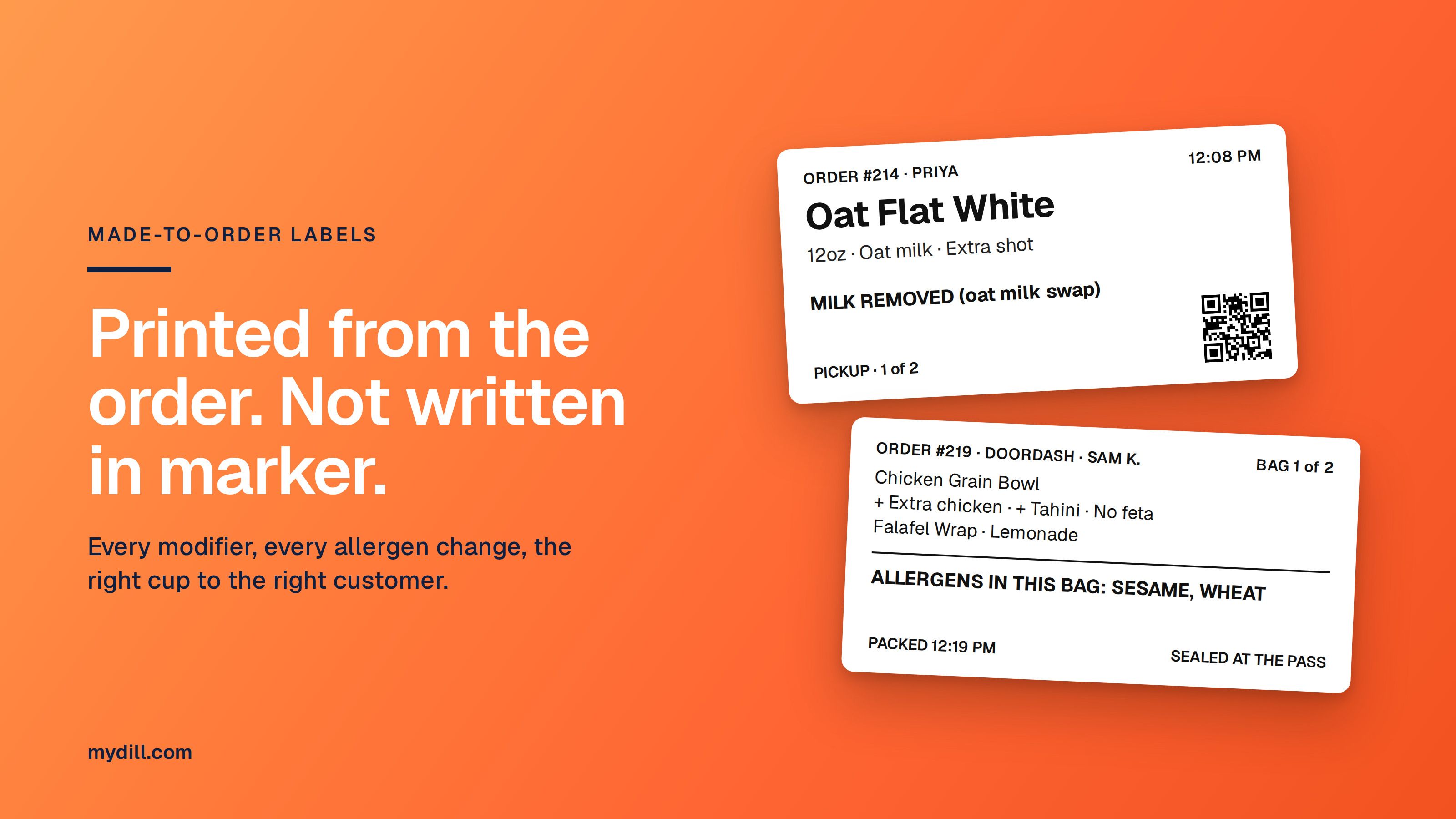
Here is what that looks like on a cup:
Oat Flat White
12oz · Oat milk · Extra shot
Milk removed (oat milk swap). No other major allergens.
Order #214 · Priya · Pickup · 12:08 PM · 1 of 2
And on a build-your-own bowl:
Chicken Grain Bowl
+ Extra chicken · + Tahini dressing · No feta
Contains: Sesame. Feta removed (milk).
Order #219 · DoorDash · 12:11 PM · 2 of 3
Notice the allergen line in both. That is the part a marker can't do reliably.
The modifier trap
Modifiers are where allergens move, and they move in both directions.
Swap dairy milk for oat milk and you remove milk, but some oat milks carry a wheat or gluten warning from the facility they're made in, and that warning should follow the drink. Add a tahini dressing and you add sesame. Ask for "no feta" on a bowl and you remove milk from the bowl, but only if nothing else in it contains milk. If the grains were cooked with butter, it is still there.
A barista or line cook cannot work that out in their head nine times a minute. The only reliable way is to hold the allergens against each ingredient and each modifier, and let the label work out the result for that exact build.
This is also why "Contains" on an order label should come from the recipe data, not from the menu description. The menu says what the item usually is. The label has to say what this one actually is.
Why the label should print from the order
Every piece of information on a made-to-order label already exists in your POS the moment the customer pays. The item, the modifiers, the name, the time, the channel. The question is only whether a person copies it by hand or a printer does.
Printing from the order fixes four things at once:
- No retyping. What the customer chose is what the label says. No shorthand that only the morning shift understands.
- The right label at the right station. Drinks print at the bar, food prints on the line, bag labels print at the pass. Nobody sorts a pile of stickers.
- Consistent allergen flags. The same build prints the same warning every time, on every shift, at every site.
- Timing that matches the kitchen. For scheduled pickups, labels can print when the order is fired, not when it was placed hours earlier, so the stack at the station is what is actually being made now.
Pickup and delivery: label the bag, not just the food
Once food leaves the counter, you lose control of it. A driver picks up the wrong bag, a customer grabs a neighbor's order, a bag gets opened on the way.
A bag label that seals the bag shut does three jobs:
- It shows the customer the bag hasn't been opened since it left you.
- It tells the driver whose order it is and how many bags go together ("Bag 1 of 2").
- It lists what should be inside, so the person packing can check before it goes.
Order #219 · DoorDash · Sam K.
Bag 1 of 2 · Packed 12:19 PM
Chicken Grain Bowl · Falafel Wrap · Lemonade
Allergens in this bag: Sesame, Wheat
Customers increasingly expect tamper-evident bags, and some delivery platforms ask for them. Check your platform agreements.
Setting it up: a five-step checklist
- Clean up your modifiers in the POS. Make sure every modifier is a real option, not a free-text note. A label can only print what the POS knows.
- Attach ingredients and allergens to items and modifiers. Start with your top 20 sellers. That usually covers most of what goes out.
- Decide which items get labels and where they print. Drinks at the bar, hot food on the line, bags at the pass.
- Pick a label size per station. Cups need a short, wide label that wraps. Boxes and bags have room for more.
- Run a lunch service with it, then fix what people complain about. They'll tell you fast which fields they actually read.
What made-to-order labels don't do
To be clear about the limits:
- They don't replace allergen conversations. A customer with a severe allergy should still be able to talk to someone who knows the kitchen.
- They don't remove cross-contact risk. A label can say the bowl has no sesame. It can't tell you whether the same tongs were used for the tahini chicken.
- They don't replace grab-and-go labels. If you pack sandwiches at 7am for the fridge, those need their own labels, and in places like New York, allergens on the pack by law.
How Dill handles it
Dill holds your recipes, ingredients and allergens in one place and connects to the POS you already use, so an order's items and modifiers can become a label without anyone retyping them. Each station prints its own labels, the allergen line is worked out from the actual build, and the same setup also prints your prep labels and grab-and-go labels. It runs on Brother label printers, with other hardware on request.
If you want to see what your menu would look like on a label, book a demo and bring your five most modified items.
FAQ
What is a made-to-order label?
A label printed when a customer orders, one per item, showing the item, how it was customized, who it is for and when it was ordered. It goes on cups, boxes, wraps and delivery bags.
Do made-to-order items legally need allergen labels?
Usually not. Most allergen labeling laws, including New York's law taking effect November 12, 2026, cover food packed before the customer orders. Food made to order is typically outside them, but operators still carry the risk if an allergen reaches the wrong customer.
What is the difference between an order label and a prep label?
A prep label goes on food containers in the kitchen and tracks when food was made and when it must be used. An order label goes on food for a specific customer and tracks what they ordered and how it was built.
Should modifiers change the allergen line on the label?
Yes. Swapping or removing ingredients can remove an allergen or add a new one. The label should work out allergens from the actual build, not from the standard menu item.
Can order labels print automatically from my POS?
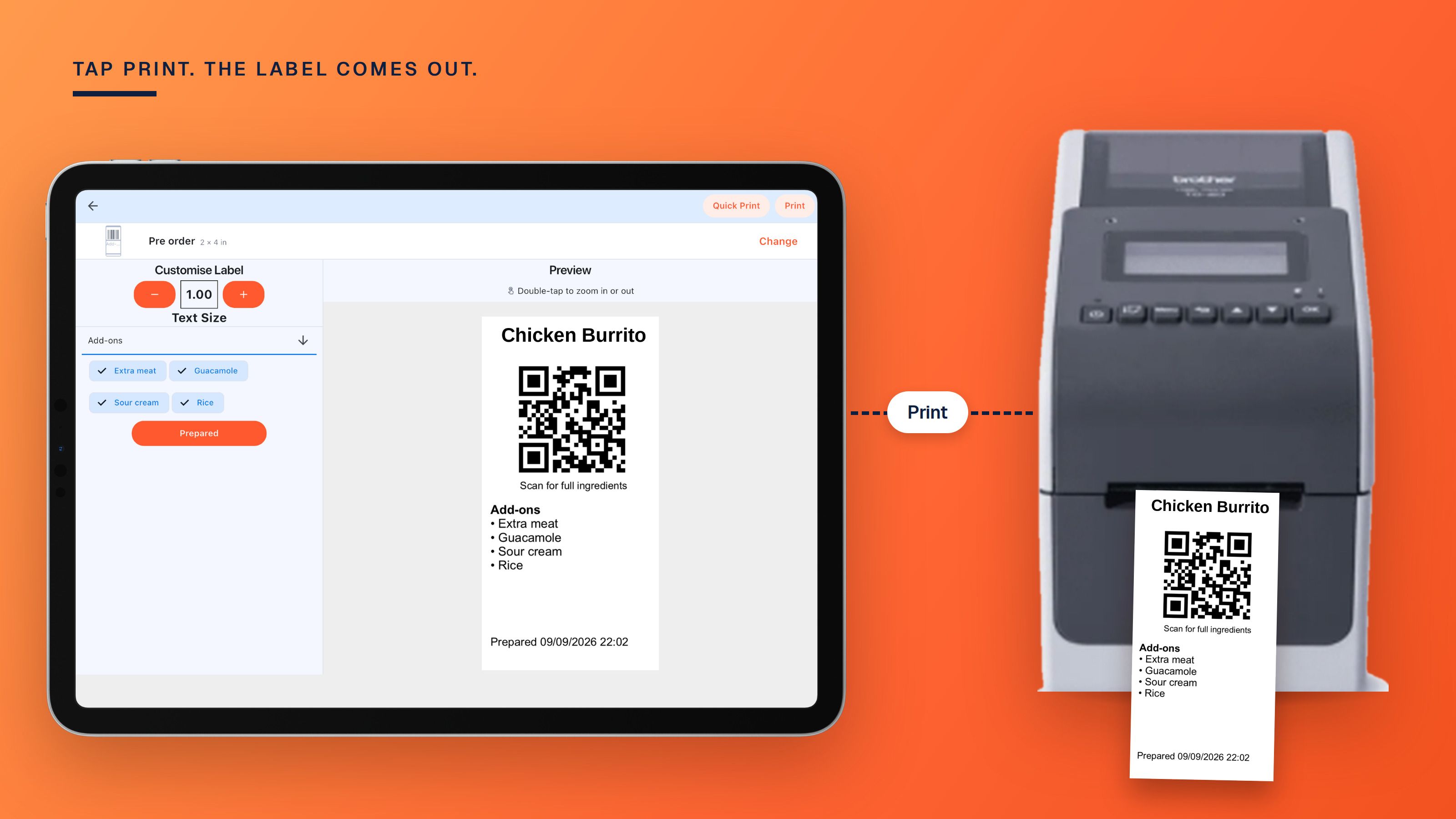
Yes, if your labeling software is connected to your POS. The order's items and modifiers are sent to a label printer at the right station when the order comes in or when it is fired.
What size label works for cups?
Short, wide labels that wrap around the side of the cup are most common, because they stay readable when the cup is picked up. Bags and boxes have room for larger labels with more detail.