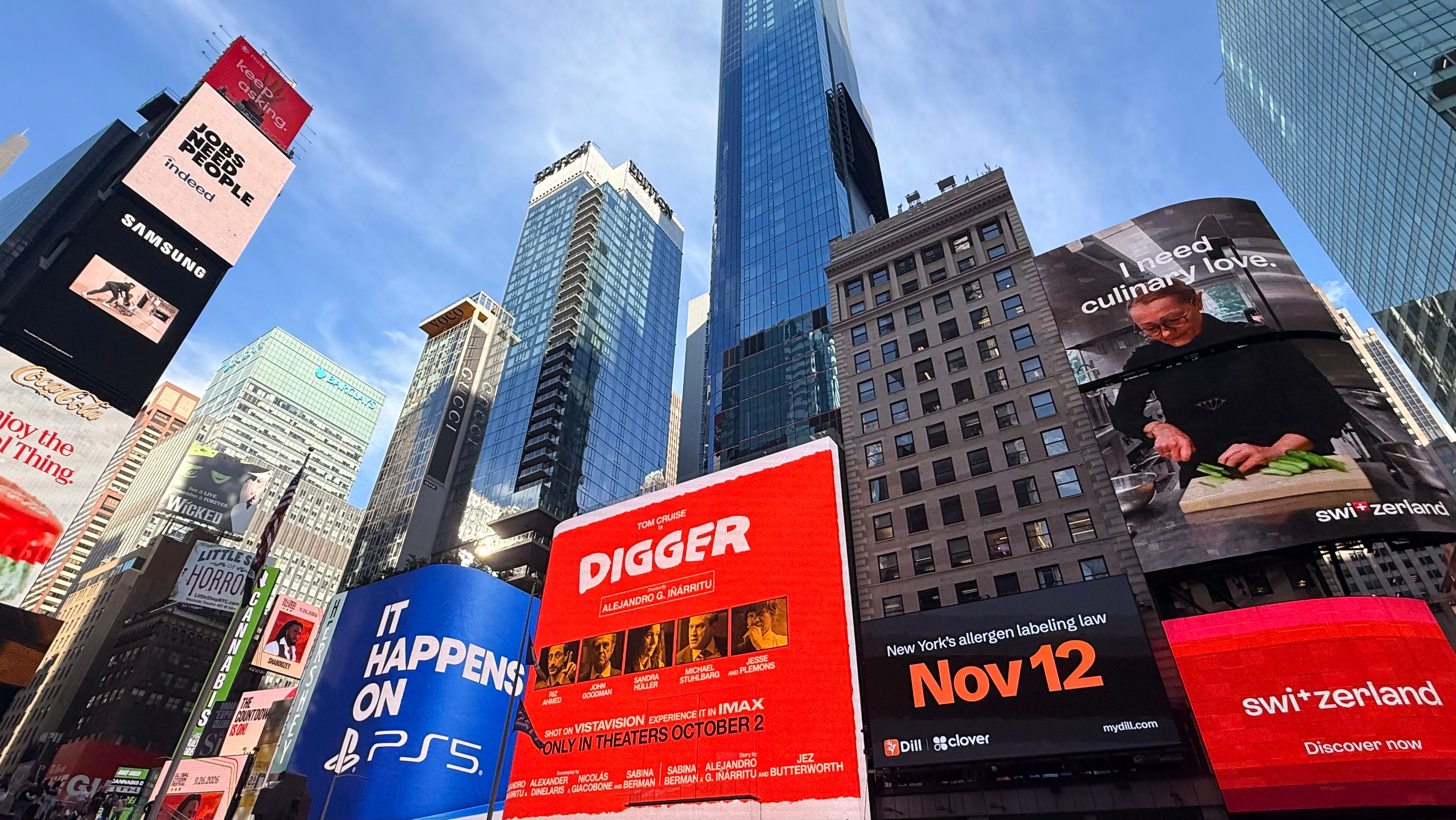
In late September, our Dill x Clover billboard went up in Times Square with two lines: "Labels, straight from your POS." and "New York's allergen labeling law Nov 12". It's for Dill Print, our label printing app for Clover POS.
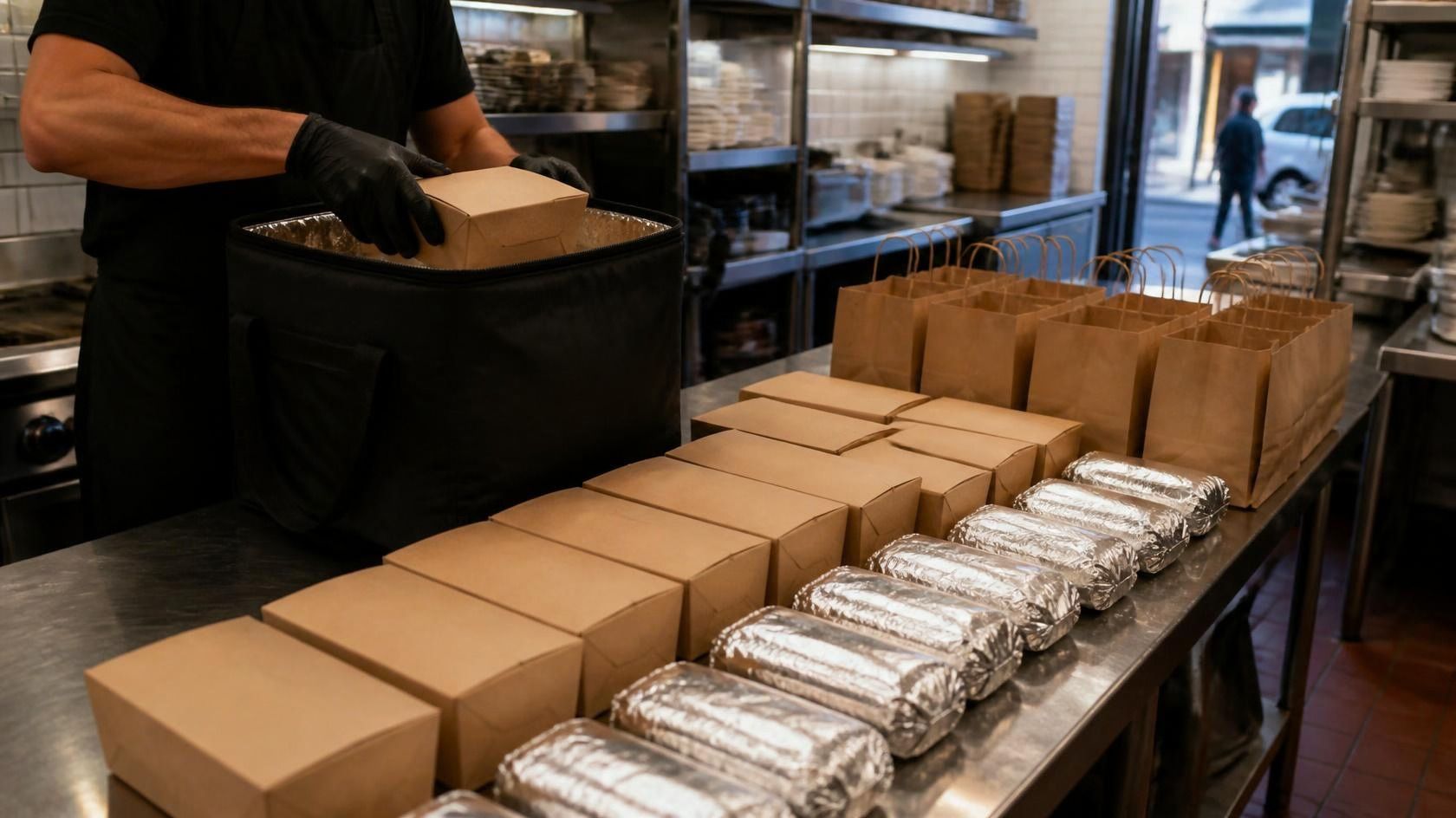
It's 6:40 a.m. at a deli counter. Someone is wrapping turkey sandwiches, someone else is boxing muffins, and the labels are handwritten or typed into a separate tool that hasn't been updated since the menu changed. The items already live in the Clover POS on the counter. They just never make it onto the label.
That is the gap Dill Print closes. It lets you print labels from your POS data instead of a separate list: you pull your products from Clover into Dill, add the ingredients, allergens and shelf life once, and print the right label every time.
Dill on Clover in 60 seconds
- What it is: Dill Print by Dill, now listed on the Clover App Market for North American merchants.
- What it does: syncs your items from Clover so you can print allergen, prep, batch, expiry, recipe and shelf labels without retyping anything.
- Hardware: runs on Clover devices and prints to supported Brother label printers.
- Why now: New York's allergen labeling law for food prepacked on site takes effect November 12, 2026.
- Batch labels: for anything you prep in bulk.
- Price: plans start at $29/month (Dill Core).
Who is Clover
Clover is Fiserv's point-of-sale and business management platform for small and mid-sized businesses. Around 900,000 businesses use Clover (Fiserv, May 2026).
You'll find it on the counter at restaurants, cafés, bakeries, delis and retail shops. The hardware ranges from countertop Stations and the compact Mini to handheld Flex devices that staff carry around the floor.
Clover also runs an App Market, where merchants add apps to their POS the way you'd add apps to a phone. Dill Print is listed on clover.com/appmarket, Clover's App Market for North American merchants.
A quick note on search terms. If you look up "Clover label printer", a lot of what comes back is about Clover's printer labels setting, which routes kitchen and bar tickets to the right printer. That's useful, but it's a different job. Dill Print is about food labels: the sticker on the sandwich, the prep container or the shelf edge.
How Dill Print works with Clover
The short version: your Clover item list drives your labels.
- Pull items from Clover. Dill reads your product data from Clover, so the names on your labels match what you ring up. When the menu changes in Clover, the data stays synced.
- Add the details once. For each item, add ingredients, allergens and shelf life in Dill. You do this one time, not every morning.
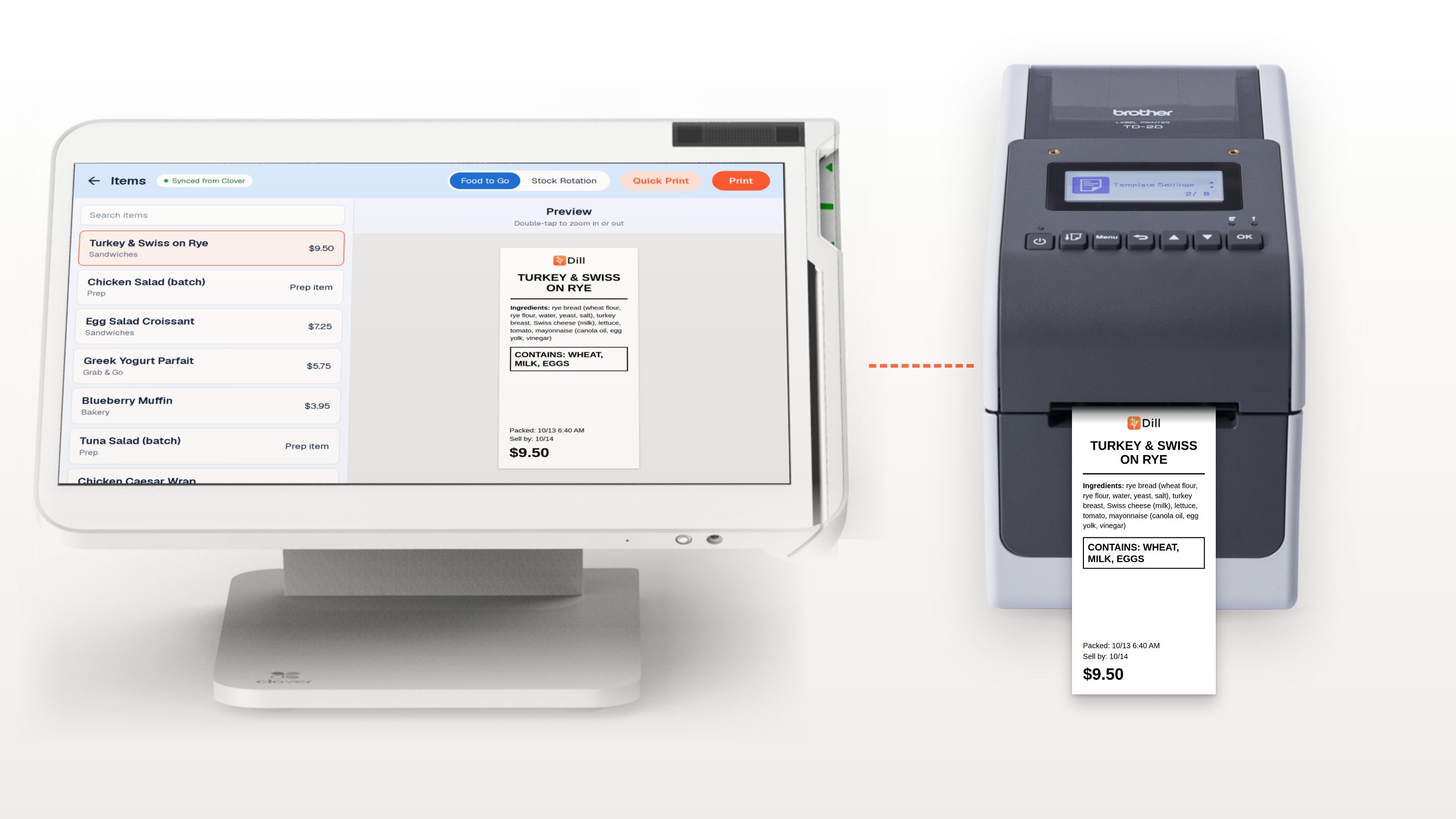
- Print the label you need. Staff pick the item and the label prints with the right allergens, dates and who made it.
From the same item list you can print:
- Grab-and-go allergen labels for sandwiches, salads and bakery items packed before the customer orders.
- Prep labels with prep date and use-by date for stock rotation.
- Batch labels with a batch code, for anything made in bulk.
- Expiry labels so nobody has to work out dates by hand.
- Recipe labels for items you build from your own recipes in Dill.
- Shelf price labels for retail. Dill's Edge Shelf Labeling connects to Clover to keep retail prices and shelf labels in sync.
Templates are shared across sites, so a change made once reaches every location. If you run three delis, all three print the same label for the same item. You can add your logo, choose label styles and include barcodes.
The labels you can print
Here are two examples of Clover food labels printed with Dill. The products and ingredients are illustrative, not a real menu. Dates use the US MM/DD format.
1. Grab and go labels with allergens, New York style
New York's law asks for the major food allergens on food packed on site before the customer orders. It doesn't require a full ingredient list, but many operators show one anyway.
TURKEY & SWISS ON RYE
Ingredients: rye bread (wheat flour, rye flour, water, yeast, salt), turkey breast, Swiss cheese (milk), lettuce, tomato, mayonnaise (canola oil, egg yolk, vinegar)
CONTAINS: WHEAT, MILK, EGGS
Packed: 10/13 6:40 AM Sell by: 10/14
$9.50
2. A prep and batch label
This one stays in the kitchen.
CHICKEN SALAD (BATCH)
Prep: 10/13 7:15 AM Use by: 10/16
Batch: CS-1013-02
CONTAINS: EGGS
Made by: Maria
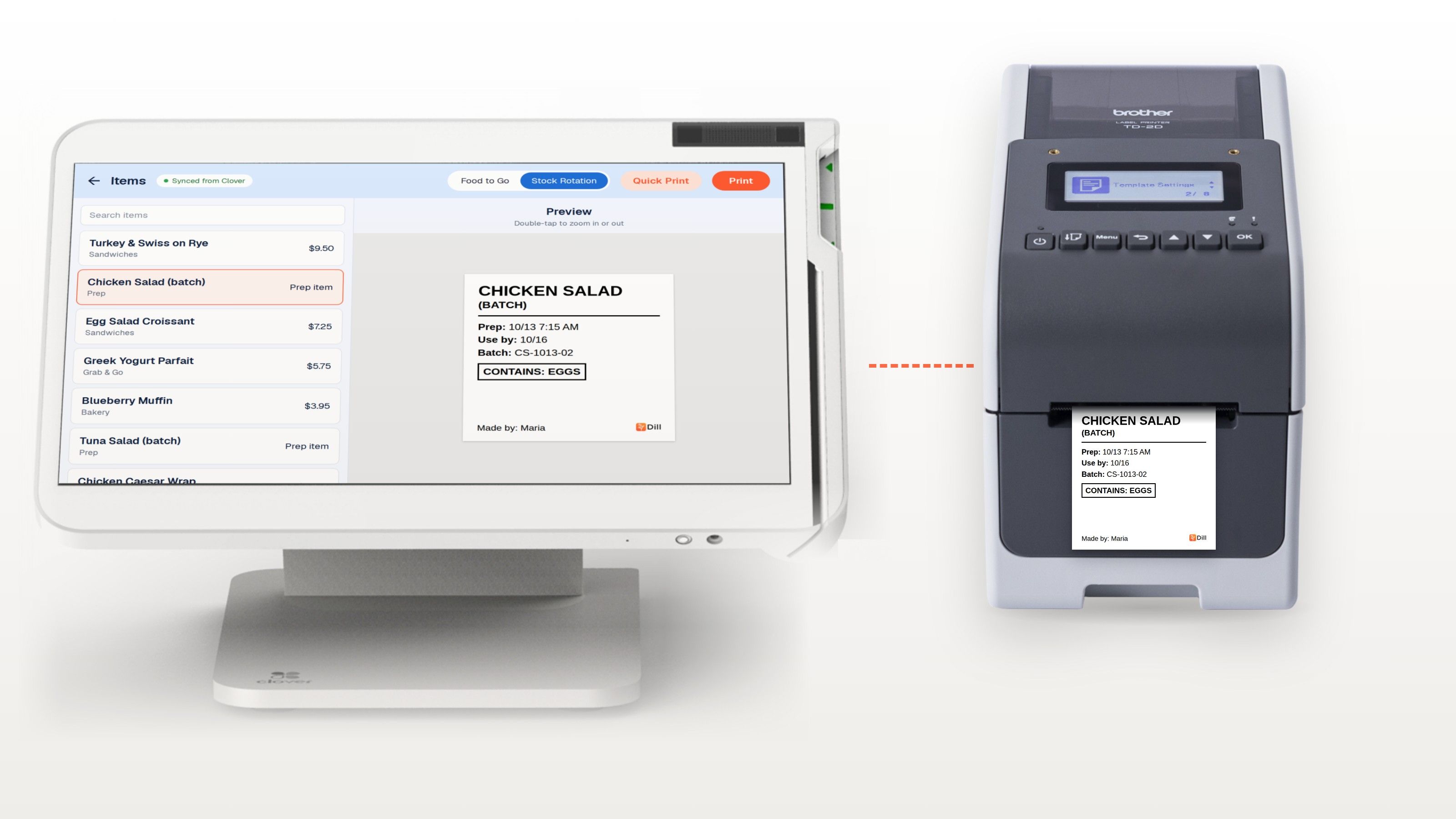
Both come from the same item in Dill. The difference is which label template you pick. (Dill Core covers one workflow, stock rotation or food to go; see the listing for other plans.)
Which Clover devices and Brother printers it works with
Here's the exact list from the App Market listing.
Clover devices: Flex Pocket, Flex (4th Gen), Station Solo, Station Duo (2nd gen), Flex (3rd Gen), Mini (3rd Gen), Station (2018) and Web, as listed on the App Market.
Required printers: TD-4550DNWB, TD-2350DSA, TD-2350D, TD-2135NWB, TD-2125NWB and RJ-3250WB.
The listing requires one of these models, so check what you have before you install.
How to install it from the Clover App Market
- Open the App Market on your Clover device, or log in to your Clover web dashboard and open App Market there.
- Search for Dill Print.
- Open the Dill Print by Dill listing and choose Install.
- Pick your plan. Plans start at $29/month (Dill Core).
- Let Dill sync your items from Clover.
- Add ingredients, allergens and shelf life for the items you label.
- Connect a supported printer and print a test label.
You can also go straight to the Dill Print listing on the Clover App Market. If you get stuck, call support on +1 (646) 832-2695.
What this means for New York operators
New York's allergen labeling law was signed on November 12, 2025, as Chapter 494 of the Laws of 2025 (NY Senate, S5381). It takes effect on November 12, 2026.
What the law says:
- Every food establishment must label prepackaged food with any ingredient that is a major food allergen, on the package or on a label attached to it.
- "Prepackaged" means food prepared, packed and sold on the same premises. Food that isn't packaged, or is packaged after the customer orders, is not covered.
- The Public Health Law version names delis, bakeries, sandwich shops, ice cream parlors, cafeterias and food trucks. The Agriculture and Markets version covers places that prepare food, including retail food stores.
- The major allergens are milk, eggs, fish, crustacean shellfish, tree nuts, wheat, peanuts, sesame and soybeans.
- The law doesn't set a format, font size or wording, and it doesn't require a full ingredient list.
What isn't settled yet: at the time of writing, we couldn't find published guidance from the state agriculture or health departments, or from New York City, on how the law will be applied. That could change before November 12.
We keep the full breakdown on our New York allergen labeling law page, and there's a practical NY allergen labeling law checklist you can work through with your team.
For a Clover shop, the practical point is simple. If the allergens for each item already sit in Dill, every grab-and-go label carries them, and your Clover allergen labels match what's on the register. Nobody has to remember that the pesto has pine nuts at 6 a.m.
What it means across North America
Other US states. Several states introduced allergen disclosure bills in late 2025 and 2026, including Michigan, Maryland, Illinois and Missouri. These are bills, not laws, and most are about restaurant menus rather than packaged food. New York is the first state to require labels on food prepacked on site.
Canada. Health Canada recognizes 11 priority allergens: eggs, milk, mustard, peanuts, crustaceans and molluscs, fish, sesame seeds, soy, sulphites, tree nuts, and wheat and triticale (Health Canada). If you put an ingredient list on food you pack in store, those allergens must be declared on it. Canada doesn't have a New York style mandate for all food packed on site, and some in-store items are exempt from an ingredient list, so check the rules for your products.
Food traceability and FSMA 204 lot labels. FDA's Food Traceability Rule covers anyone who makes, processes, packs or holds foods on its Food Traceability List, which includes items like soft cheese, shell eggs, fresh-cut produce, deli salads and tuna. FDA has said it will not enforce the rule before July 20, 2028 (FDA).
Making a deli salad from listed ingredients counts as a transformation under the rule, which can mean assigning a new traceability lot code. Food you sell straight to customers, and smaller retailers, get some exemptions, so check what applies to you. A batch label printed at prep time, with a batch code on it, is a practical place to start. It won't make you compliant on its own, but it means the code exists on the container from the moment the food is made. More on that in our FSMA 204 food traceability rule guide.
What's still unclear
- New York guidance. None published at the time of writing. We'll update our NY page if that changes.
- FSMA 204 dates. FDA's page still describes the new date as proposed, alongside a congressional directive not to enforce before July 20, 2028.
- Your exact obligations. These depend on what you sell and where. A label app helps you do the work; it doesn't replace checking the rules for your business.
How Dill handles it
Recipes, ingredients, allergens and shelf lives sit in one place. Dill connects to your Clover item data, so products aren't retyped. Staff pick the item on a tablet or phone, and the label prints with the right allergens, dates and who made it. A change made once reaches every site.
Dill prints prep and rotation, grab-and-go and made-to-order labels. Hundreds of businesses use it, with thousands of sites between them, and over 65 million labels printed.
Pricing
Plans start at $29/month (Dill Core). Dill Core syncs your items from Clover and lets you print labels with one workflow: stock rotation (prep labels) or food to go (ingredient and allergen labels). Check the listing for full subscription pricing when you install.
Get started
If you're on Clover, the quickest way to try it is to install Dill Print from the Clover App Market. If you'd rather see it on your own menu first, book a demo and we'll walk you through it.
FAQ
Can Clover print labels?
Clover can send order tickets to kitchen and receipt printers, but food labels with allergens and dates need an app. Dill Print adds that, pulling your items from Clover so you can print allergen, prep and shelf labels.
Does Clover work with a Brother label printer?
Yes, through Dill Print. The listing supports the TD-4550DNWB, TD-2350DSA, TD-2350D, TD-2135NWB, TD-2125NWB and RJ-3250WB.
How do I add an app from the Clover App Market?
Open the App Market on your Clover device or in your Clover web dashboard, search for the app, open it and choose Install. For Dill, search "Dill Print".
Is Dill a food labeling app or allergen labeling software?
Both jobs, one app. Add allergens to each Clover item once, then print allergen labels for grab-and-go food and date labels for prep, so you don't need a separate date labeling app.
When does New York's allergen labeling law take effect?
November 12, 2026. It applies to food prepared, packed and sold on the same premises, and requires the major food allergens on the label.
Does the New York law apply to food made to order?
No. Food packaged after the customer orders is excluded, as is food that isn't packaged at all.
How much does Dill on Clover cost?
Plans start at $29/month (Dill Core). See the App Market listing for full subscription pricing.